

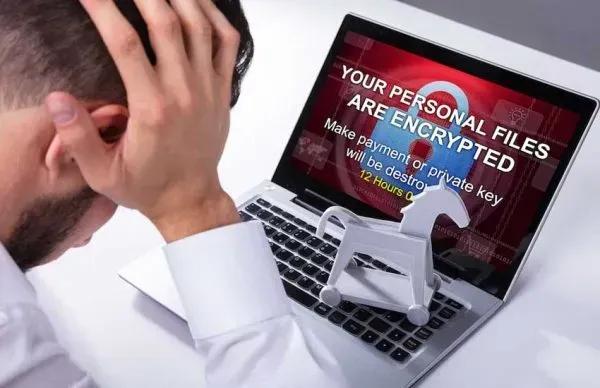
Curious how your business will be hacked? Here are the top 3 ways, and what to do about it. You might not be protected as well as you thought you were.
There are few things more certain in business than this: someone is trying to hack into your office computer network and devices every day. And for most businesses, these criminals (or hackers, cybercriminals, cyberterrorists, virus writers, or ransomware pirates) will one day be successful. So it’s helpful to know what they do and how they do it to protect your business better. So here are the top 3 ways your business will be hacked, and what to do about it.
Attempting to hack a company, any company, is a business and a numbers game for the bad guys. If they send out a million emails but only one results in a breach or the installation of malware, it is likely worth it to them because that one payoff could be worth tens or hundreds of thousands of dollars. And their success rates are likely far greater than one in a million.
So it makes sense that cybercriminals invest most of their time and energy in developing email exploits and hacks. As a result, the single most common way your business will be hacked (including viruses, trojans, ransomware, and so on) or breached is through email. Most estimates say that between 60 and 90 percent of all cybercrime starts with an email, so it makes sense to secure your email and train the people who use email at your company to identify and block anything that might damage your company.
That means…
Protecting access to your email accounts through strong security, including multi-factor authentication.
Scanning all inbound emails for malicious attachments, links to malicious websites, or fictitious header information.
Complete Endpoint protection that prevents malware from reaching or running on a computer or other device.
Monitoring access to your email
Training all users to identify and respond appropriately to phishing and social engineering attempts.
This last item is frequently overlooked by those who think that simple antivirus software is enough to protect a company. In the past, email threats were mostly from malware. But these days, with the popularity of mobile devices, PC-based malware is ineffective. At the same time, mobile devices give the user less information about the email and the sender, often not showing the sender's email address and showing only the name.
So, cybercriminals have put much of their effort into Phishing and Social Engineering scams. In phishing, the recipient is asked to log in, verify, or reset credentials for valuable resources, such as a bank account, online store, or network. But the link provided for the login page belongs to the criminal, and the instant the credentials are entered, they are used to hack into the resource and do damage.
Social Engineering attacks often appear as an email from a colleague requesting action. It could be to share login information for a resource or to make a payment to a known vendor using new account information.
These and other similar attempted crimes make cybersecurity user awareness training and critical part of an effective cybersecurity strategy.
Browsers and Websites
Email is a link to the world outside of your company, as are web browsers. They are a great tool for businesses to get real work done, but they are also a very common way that your business will be hacked.
Hackers will infect a website with malicious code that can infect a web browser almost instantly, even if no links are ever clicked. This malware can change browser settings, download viruses, install keystroke-monitoring code, redirect the user to phishing sites, and more.
Without adequate Endpoint Protection, your users and your entire network are open to attack via web browsers. You can protect yourself with these security measures:
Category filtering in the firewall
Locking down uncharacterized traffic
Sandboxing. (Browser isolation)
Awareness training
Foreign Devices
It’s common for businesses to allow employees, clients and other visitors to join their company's WiFi while on the premises. To increase security, these WiFi networks are configured to require a passphrase to connect. But that does nothing to protect the network if devices from outside are allowed to connect to the company’s actual network.
“BYOD” (Bring Your Own Device) attacks occur when an infected device is connected to a company network. Many types of malware spread via network connections. Viruses can be written to seek out other network devices or resources. As a result, once a guest’s infected laptop joins the network, files could be deleted, corrupted or infected with the virus. A guest could save an infected MS Word document with embedded VBScript malware onto the network. When another workstation on the network opens that file, the virus spreads.
Countless similar scenarios could be disastrous to your company.
You can protect yourself and your business by setting up your network so that Employees and Guests have their own isolated Wi-Fi networks to log in to. This allows network traffic to be tracked, monitored, and appropriately limited to the types of users expected on these networks.
Do You Know How Your Business Will Be Hacked?
Of course, these are just the top 3 ways your business will be hacked. There are dozens more ways a virus can get into your network that you need protection from. Protect yourself and your business by creating a robust cybersecurity system that includes cybersecurity awareness training.